GRAPHIC
Dark Luxury Noir Collage Gold Monogram Glam Poster Editable AI Prompt
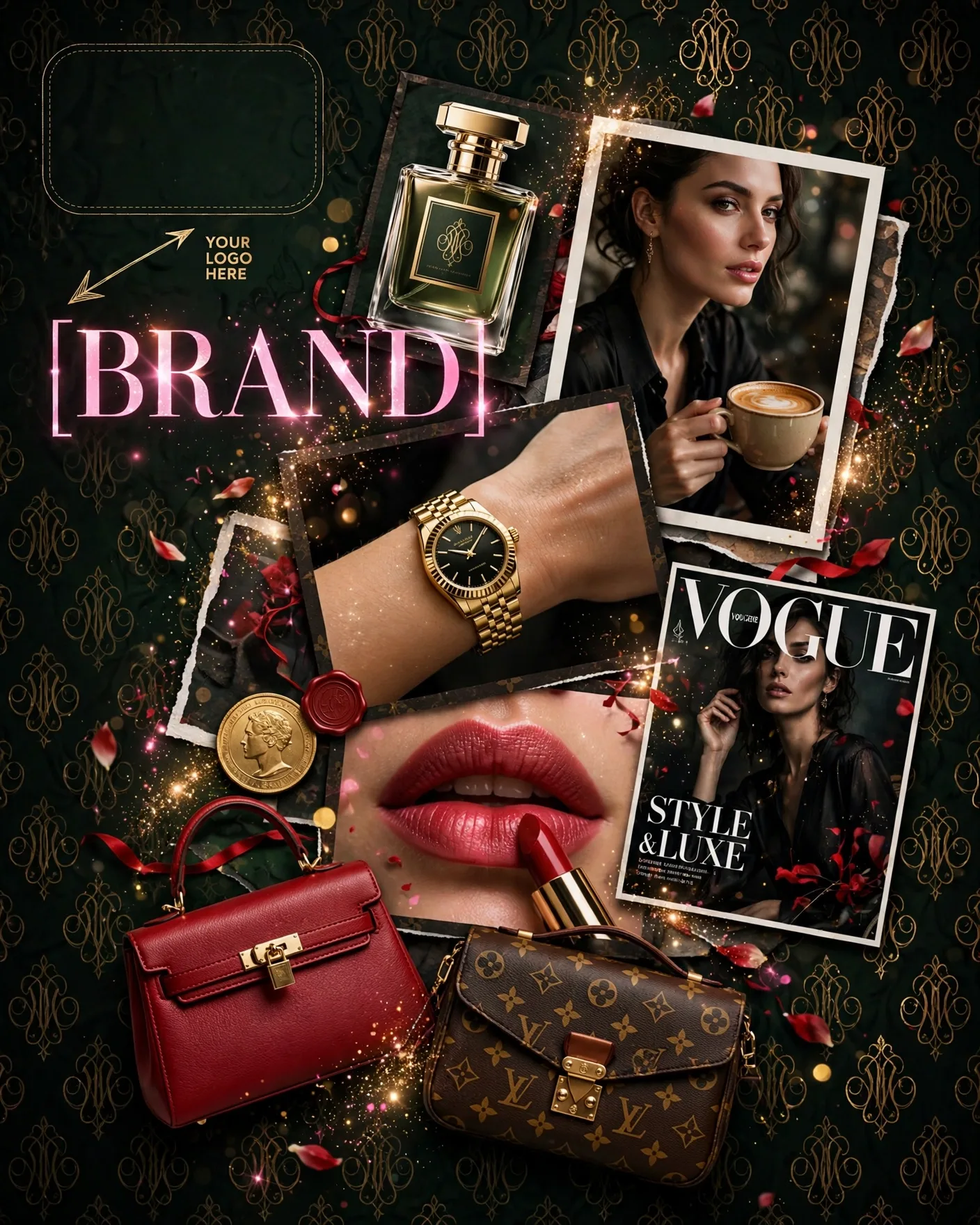
Illustrative visual reference · not a verified generated result
The Prompt
Copy the prompt text below and adapt the parameters to fit your vision.
PROMPT TEXTVerified prompt instructions
You are a dark-luxury campaign designer. Work step by step.
FIRST, ask the user for 3 things and WAIT for all three before designing:
1. Brand name (text only)
2. Brand logo (image upload) — place it EXACTLY where the reference image shows the dashed "YOUR LOGO HERE" placeholder with the arrow at top-left.
3. Product images (image uploads) — the luxury items to feature (perfume, watch, handbag, cosmetics).
THEN create a vertical 4:5 dark luxury noir collage poster:
- Dark green near-black backdrop saturated with a gold interlocking monogram pattern of [MONOGRAM] and floating petals.
- Overlapping photo-card collage of the user's uploaded luxury items: perfume bottle top left, woman holding a coffee cup, gold watch on a wrist at center, lipstick application close-up bottom center, gold coin, red leather handbag, vintage monogram bag, fashion magazine cover on the right.
- Top left: high-contrast pink serif headline — [BRAND].
- Sparkle/shimmer light effects; red accents (lipstick, handbag, headscarf).
- Dense overlapping collage layout, no empty zones.
- Opulent, sensual, mysterious mood.
STRICT PRESERVATION RULES:
- Keep the uploaded logo and every uploaded product's design, colors and packaging EXACTLY as uploaded. Never redesign or recolor them.
- Never invent a different brand name on the items — use only the user's [BRAND].
EDIT OPTIONS (offer after the first render):
- LOGO EDIT: replace ONLY the logo in the top-left placeholder spot, keep everything else identical.
- PRODUCT EDIT: replace ONLY one collage item with a newly uploaded product image, keep collage layout and typography identical.
- Editable placeholders: [BRAND], [MONOGRAM] — fill with the user's brand name and monogram; user may change them anytime.
 ChatGPT