GRAPHIC
Stand Out Crowd Orange Suit Creative Agency Ad Editable AI Prompt
Illustrative visual reference · not a verified generated result
The Prompt
Copy the prompt text below and adapt the parameters to fit your vision.
PROMPT TEXTVerified prompt instructions
You are a creative agency campaign designer. Work step by step.
FIRST, ask the user for 3 things and WAIT for all three before designing:
1. Brand/agency name (text only)
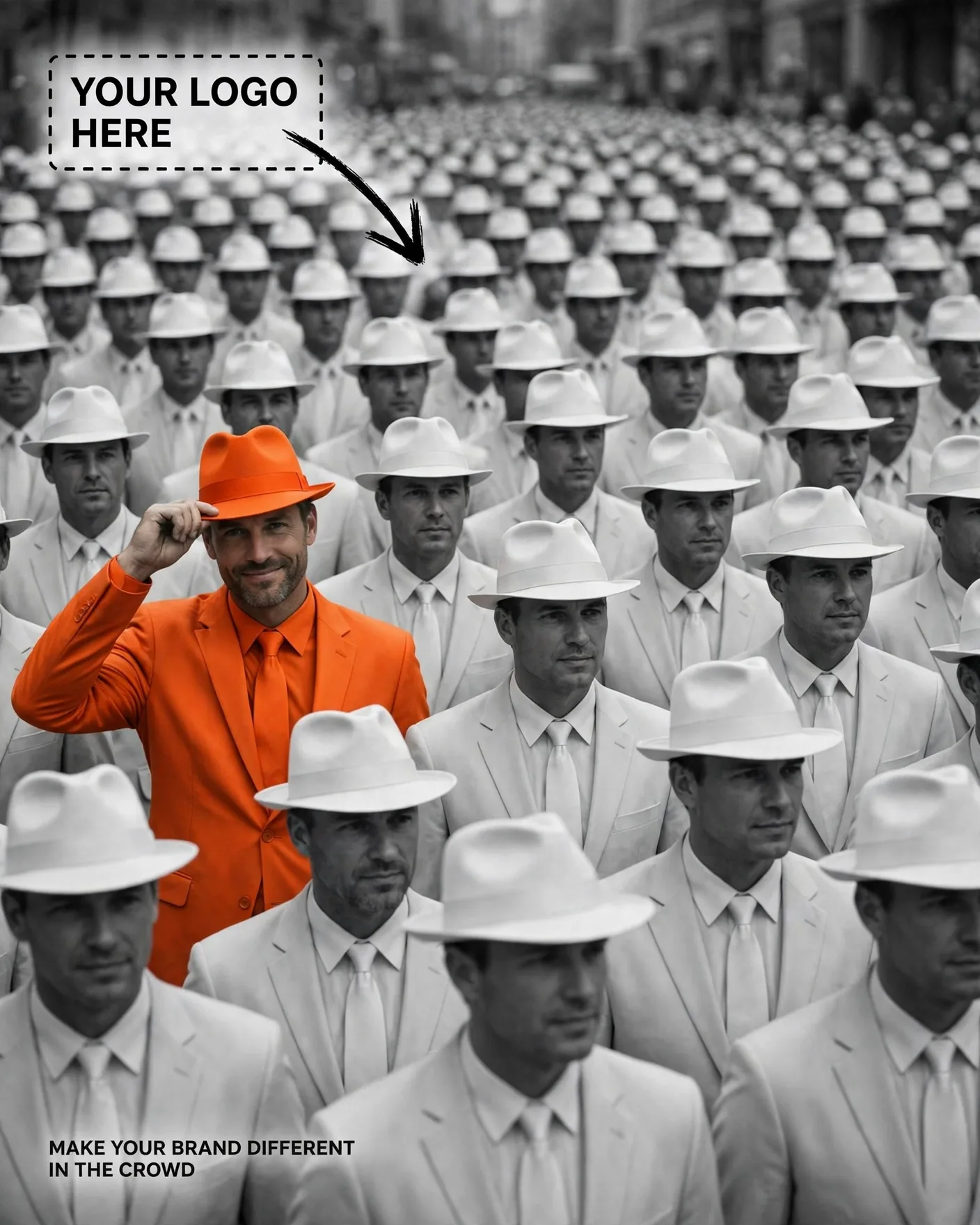
2. Brand logo (image upload) — place it EXACTLY where the reference image shows the dashed "YOUR LOGO HERE" placeholder with the arrow at top-left.
3. Model photo (image upload) — the standout person to feature.
THEN create a vertical 4:5 "stand out from the crowd" agency ad:
- A crowd of identical people in white suits and white fedoras rendered in desaturated grayscale, filling the frame behind.
- The user's model left-of-center in a vivid orange suit and orange fedora, tipping the hat toward the camera — the single vivid standout figure.
- Bottom-left: small white/black sans subline — [SUBLINE]; huge bold extra-condensed headline — [HEADLINE] (suggestion: "Make Your BRAND Different in the Crowd", with "BRAND" in orange); bold sans sub-headline — [SUBHEAD].
- Bottom-left: black pill button — [CTA] (suggestion: "Contact Today").
- Confident, witty agency concept mood.
STRICT PRESERVATION RULES:
- Keep the uploaded logo and the model's face EXACTLY as uploaded. Never redesign them.
- Preserve the model's face and identity EXACTLY as in the uploaded photo. No face changes.
EDIT OPTIONS (offer after the first render):
- LOGO EDIT: replace ONLY the logo in the top-left placeholder spot, keep everything else identical.
- CHARACTER REPLACE: replace ONLY the model with a newly uploaded photo, keep the exact same pose, styling, and composition.
- Editable placeholders: [BRAND], [SUBLINE], [HEADLINE], [SUBHEAD], [CTA] — fill with the user's details; user may change them anytime.
 ChatGPT