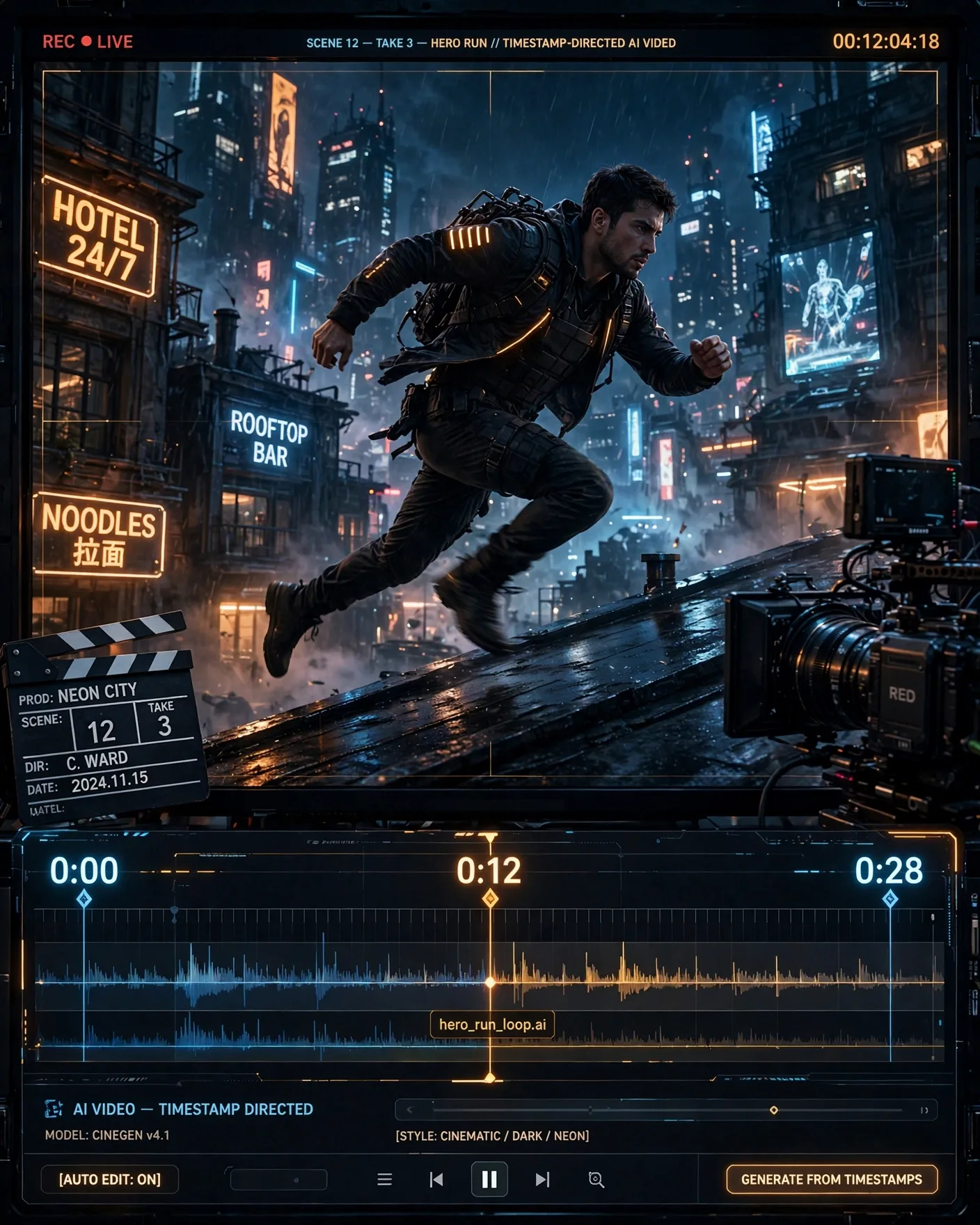
Seedance 2.5 in One Glance
The headline numbers: continuous clips up to 30 seconds long at up to 4K resolution, with up to two rounds of footage extension — so you can continue a scene without regenerating it. Around those numbers, Pippit has built what amounts to a director's toolkit: timestamp-based prompting, heavy multimodal referencing, region-level editing, and a planning layer called Story Studio.
| Capability | Seedance 2.5 |
|---|---|
| Max clip length | 30 seconds continuous |
| Resolution | Up to 4K |
| Footage extension | Up to 2 rounds (continue without regenerating) |
| Timestamp prompting | 1-second precision |
| Image references | Up to 30 |
| Video references | Up to 10 |
| Audio references | Up to 10 |
Timestamp Prompting: Directing to the Second
The standout feature is prompting with one-second precision: you can specify what happens at exact moments — the opening product shot at 0:00, the mid-scene interaction at 0:12, the closing beat at 0:28. This is a genuine step toward real directing in AI video. Instead of one paragraph describing thirty seconds and hoping the model distributes the action sensibly, you can storyboard the clip on a timeline and have the model honor it.
The Reference Stack: 30 Images, 10 Videos, 10 Audios
Seedance 2.5 accepts up to 30 image references, 10 video references, and 10 audio references to define a product, character, or scene. That is an unusually large reference budget, and it changes the consistency game: you can lock a character's face, a product's packaging, and a location's look from many angles at once. Audio can even guide a generation alone, with no image or video reference — describe the scene through sound and let the model build the visuals.
3D White-Model Control and Green-Screen Editing
For composition, the model supports 3D white-model control: feed it a simple untextured 3D model and it uses that geometry to guide composition and camera motion. Combined with built-in green-screen-style editing — revise the background of a shot without touching the subject — and edit-by-time-segment or by-subject (fix one part of a video without regenerating the whole clip), this is clearly aimed at advertisers and AI-drama creators who need repeatable, controllable results.
Story Studio: Plan on a Canvas, Then Generate
Longer narrative work gets its own layer: Story Studio lets you plan scenes on a Canvas and then generate the full project with consistent visuals. Combined with two rounds of footage extension, the workflow becomes script → canvas → consistent long-form video — a plausible pipeline for short-form series, ads with story arcs, and AI dramas, with character consistency carried across scenes by the reference stack.
Who It Is For
AI drama and short-form series creators get the continuity tools; advertisers get product-locked references and green-screen control; short-form teams get storyboard-accurate 30-second clips with director-style camera movement and physics-based motion. Multilingual prompting, including low-resource languages, widens the audience further.
Frequently Asked Questions
Where is Seedance 2.5 available?
Inside Pippit's online video generator, announced October 10, 2026. It is a platform feature, not a standalone model download.
How does the 1-second timestamp prompting work?
You assign instructions to exact seconds of the clip — e.g. product reveal at 0:03, character interaction at 0:14 — and the model builds the video to honor that timeline instead of distributing one paragraph of description across thirty seconds.
How many references can I use?
Up to 30 image references, 10 video references, and 10 audio references per generation — one of the largest reference budgets on any AI video model.
How does Seedance 2.5 compare to Vidu Q4 and Kling 4.0?
Vidu Q4 focuses on accessibility and prompt libraries; Kling 4.0 on high-end cinematic quality. Seedance 2.5's differentiator is director control — timestamp prompting, 3D white-model control, and Story Studio — aimed at creators who need repeatable, storyboarded results.
Related Prompts
Rembrandt Noir Men's Portrait Prompt — Diagonal Light Beam (4:5)
ChatGPT
Surreal Universal Ad Template Prompt — Any Product, One Twist (4:5)
ChatGPT
Epic Automotive Collector Poster Prompt — Hero Car Key Art (4:5)
ChatGPT