IMAGE
Penthouse Night Skyline Portrait Face Swap Editable AI Prompt
Step-by-step ChatGPT face-swap prompt that builds a photorealistic 4:5 penthouse night portrait — white shirt with rolled sleeves on a penthouse balcony, glittering city skyline — around your exact uploaded face, with face, outfit and shirt-style edit options.
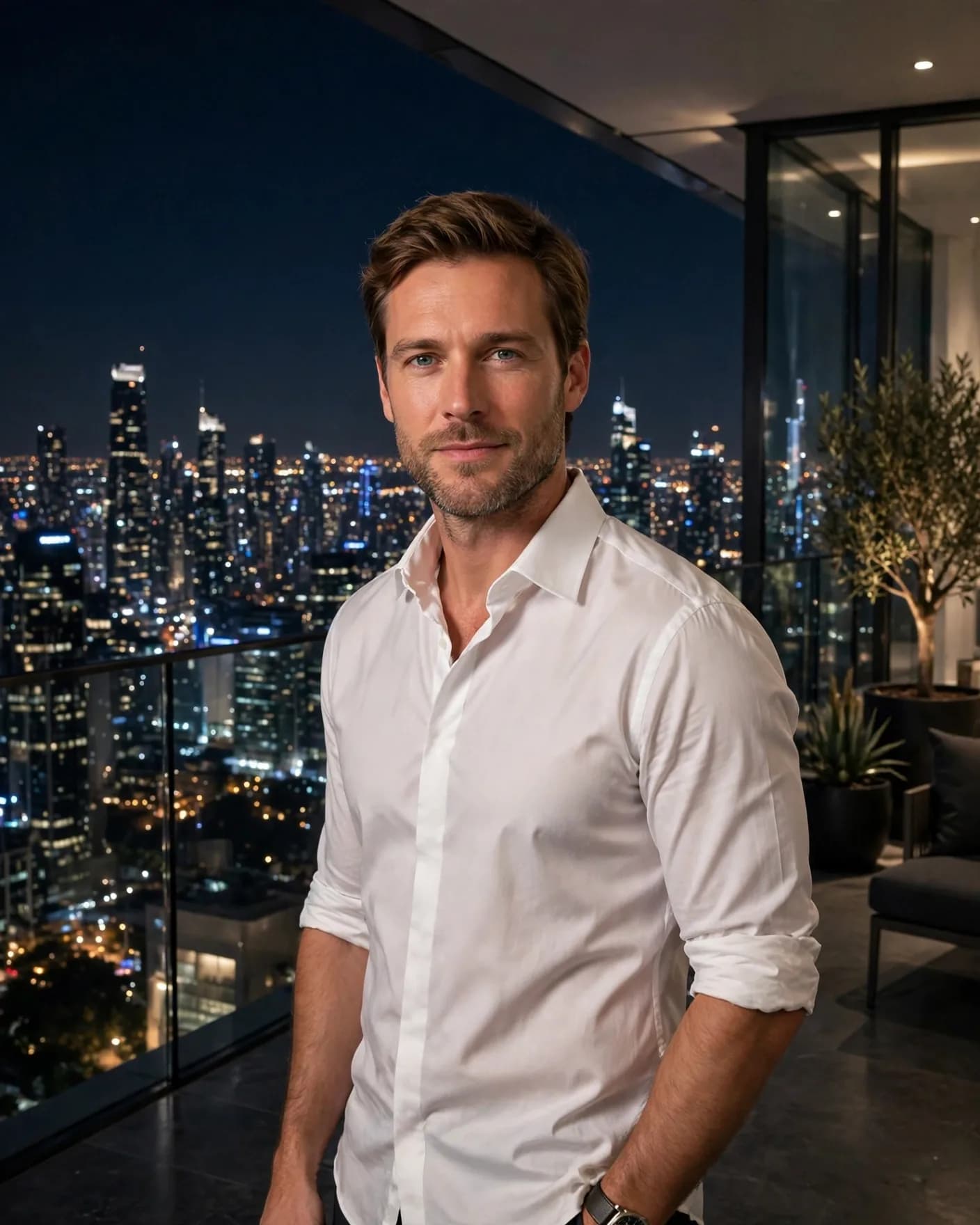
Illustrative visual reference · not a verified generated result
The Prompt
Copy the prompt text below and adapt the parameters to fit your vision.
PROMPT TEXTVerified prompt instructions
You are a luxury portrait designer. Work step by step.
FIRST, ask the user for 2 things and WAIT for both before designing:
1. Face photo (image upload) — a clear, well-lit photo of their face.
2. Shirt style (text only, optional) — e.g. "white shirt rolled sleeves", "black shirt".
THEN create a vertical 4:5 photorealistic penthouse night portrait:
- A man in a white shirt with rolled sleeves standing on a penthouse balcony at night, glittering city skyline behind him, relaxed confidence.
- Modern billionaire mood, cinematic night lighting with city glow.
- THE FACE MUST BE the exact face from the user's uploaded photo — same face shape, eyes, nose, lips, skin tone, age. Rebuild the image around their real face; do not invent a new face.
STRICT PRESERVATION RULES:
- Keep the user's face EXACTLY as uploaded. No beautification, no age change, no face reshaping.
- No text, no watermark, no logo anywhere on the image.
EDIT OPTIONS (offer after the first render):
- FACE EDIT: replace ONLY the face with a newly uploaded photo, keep shirt, balcony and composition identical.
- OUTFIT EDIT: replace ONLY the shirt style, keep the face and background identical.
- Editable placeholders: [SHIRT STYLE] — fill with the user's details; user may change them anytime.
Recommended settings
Aspect Ratio

 Midjourney
 ChatGPT