
The Design Bottleneck Visual Edit Attacks
Changing the visual elements of a document has always meant leaving the PDF editor: fixing text embedded in an image, redesigning a logo, removing a column from a chart, or sharpening a blurry scan usually requires a separate design tool, a freelancer, or hours of manual work. Generating a new chart from a document's own data often meant starting from scratch in another program. DocHub's Visual Edit, announced October 12, 2026 by airSlate's DocHub platform, brings those visual edits directly into the editor.
What Visual Edit Can Do
- Alter logos and images inside the document with a prompt
- Create charts and graphs from the document's own data
- Restyle the visual look of selected areas without switching software
- Sharpen or clean up blurry scans and low-quality visuals
- Handle text, visuals, and data in one continuous workflow: edit, restyle, finalize in the same place
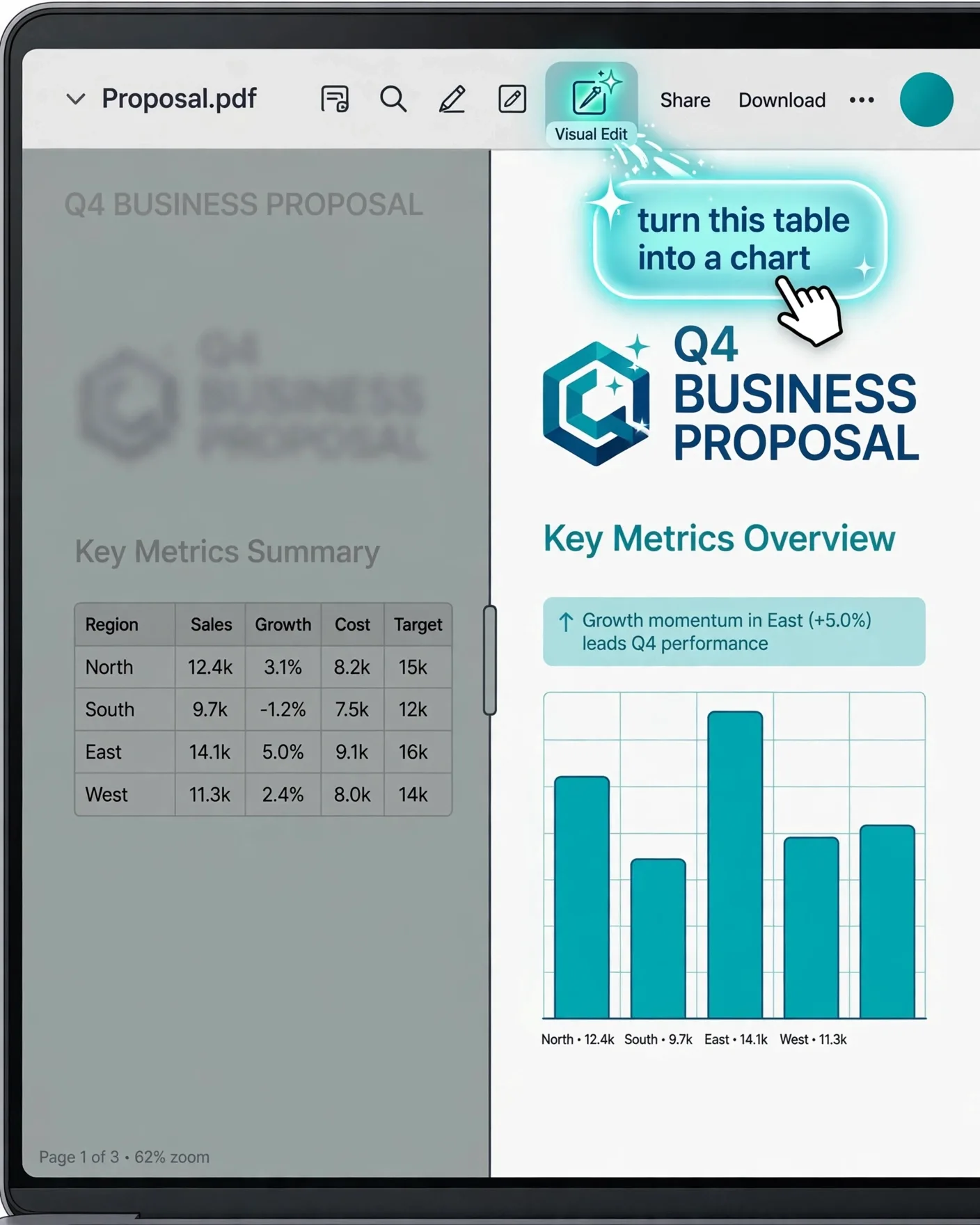
- Accessed through a new Visual Edit icon in the toolbar, alongside the other text editing tools
The Workflow: Select, Prompt, Watch
The interaction is deliberately simple: select the relevant area of the document, describe the desired change in a plain-language prompt, and watch Visual Edit generate the result inside the editor. No exporting, no re-uploading, no round-trip through a design app. For small businesses and individuals — DocHub's core audience — the savings are the avoided tool-switching and freelancer costs, not just minutes.
| Editing task | Traditional route | Visual Edit route |
|---|---|---|
| Redesign an embedded logo | Open an image editor, replace, re-insert | Select the logo area, prompt the new design |
| Fix a blurry scan | Scan cleanup software + manual work | Prompt a sharpening pass on the selected region |
| Chart from document data | Export data, chart in another app, import | Select data region, prompt the chart type |
| Restyle a whole page | Designer + layout app | Select area, describe the new look |
Where It Fits — and Where It Does Not
Visual Edit is aimed at document pragmatists: proposals, reports, contracts, and handouts that need to look professional without a design department. It is not a replacement for a design tool when the document is the deliverable itself — brand guidelines, marketing collateral, and print work still belong in dedicated design software with human review. The honest use case is the 80% case: good-looking business documents, fast.
Prompt Patterns That Work for Visual Edits
Convert the table on page 3 into a clean horizontal bar chart: teal bars, dark gray labels, title "Q3 Sales by Region". Keep all numbers and region names exactly as shown. Match the document's navy-and-gray color scheme.
Frequently Asked Questions
What is DocHub Visual Edit?
Visual Edit is an AI-powered feature in the DocHub editor, launched October 12, 2026, that lets you change a document's visual look with plain-language prompts — from altering logos and images to generating charts from the document's own data — without switching to separate design software.
How do I access Visual Edit in DocHub?
A new Visual Edit icon appears in the DocHub toolbar alongside the other text editing tools. Select the area you want to change, type a prompt describing the edit, and the result is generated inside the editor.
Can Visual Edit create charts from my document's data?
Yes. Generating a new chart or graph from a document's own data is one of the headline capabilities — you select the data region and prompt the chart type, instead of exporting the data to another program and rebuilding the chart from scratch.
Will AI edits keep my document's data accurate?
Not guaranteed. AI visual edits can subtly change numbers, labels, or brand details, so always review the result carefully — especially in legal, financial, or client-facing documents — before signing or sharing.
Does Visual Edit replace a designer?
No. It replaces the tool-switching and freelancer round-trips for everyday business documents — proposals, reports, handouts. Brand-sensitive and print-grade design work still belongs in dedicated design software with human oversight.