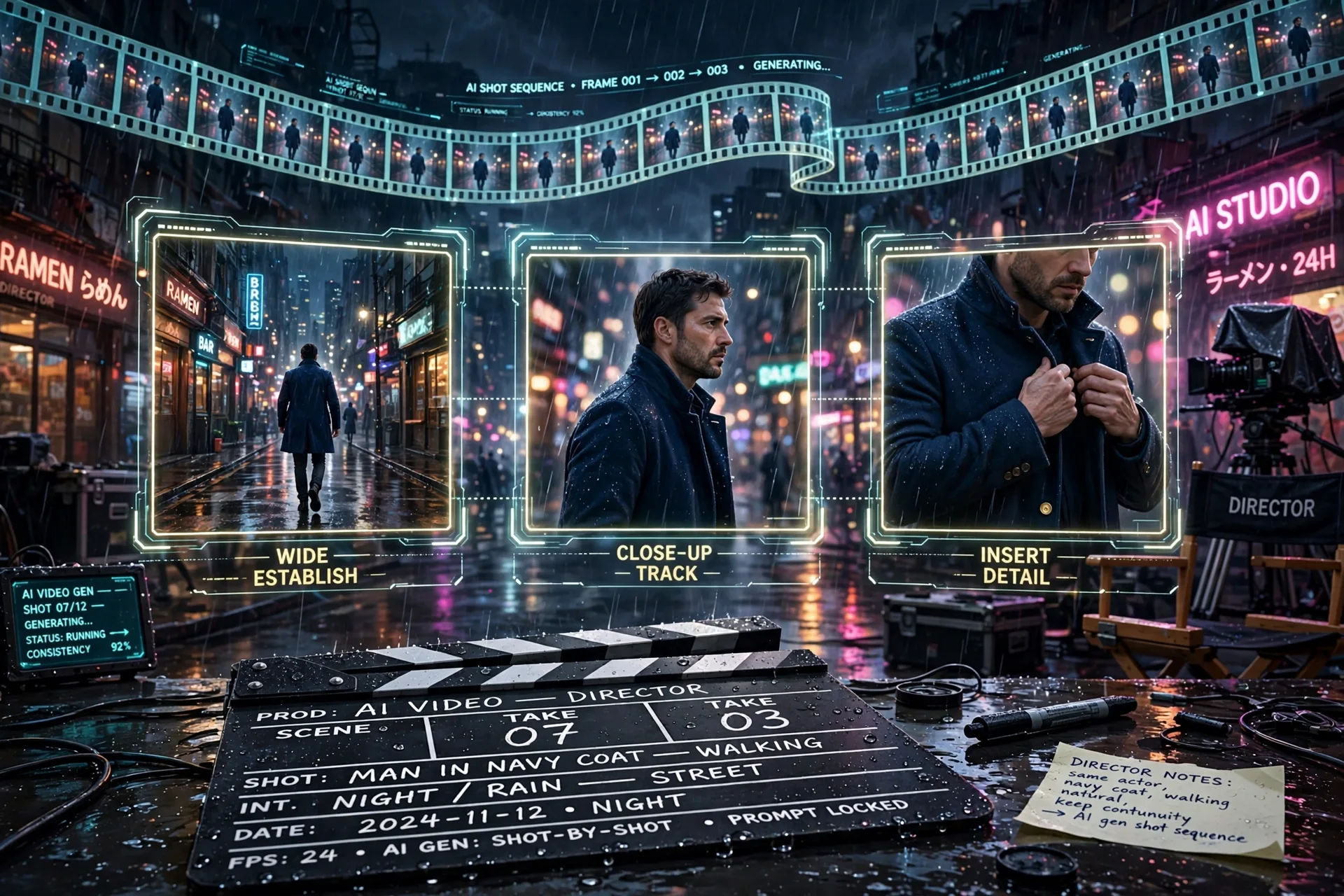
One Prompt, One Shot — Never One Prompt for a Whole Scene
The biggest mistake in AI video prompting is asking for a 30-second scene in one prompt and hoping the model directs it. Real directors never do this: they shoot a shot list — a numbered sequence where every shot has one camera, one action, and one purpose. AI video models behave the same way. Each generation handles one shot beautifully; chained together with matching continuity notes, they become a film.
Building the Shot List
- Lock the story beat: one sentence per shot, what changes in each (e.g. "he notices the letter", "he picks it up", "his face falls")
- Assign camera grammar: wide establishing, medium, close-up, over-the-shoulder, low angle — alternate for rhythm
- Fix the look anchor: copy one exact character + environment description into EVERY shot prompt ("same navy coat, same rain-soaked street")
- Name duration per shot: most generators work best with 3–5 second shots
- Mark transitions: match cuts, whip pans, or fade — write them as shot-to-shot notes, not inside prompts
Shot 1 (establishing, 4s): Rain-soaked neon street at night, man in navy coat with collar up stands under a flickering sign, wide shot, slow push-in. Shot 2 (close-up, 3s): Same man, rain dripping off his collar, his eyes lift toward the sign, shallow focus. Shot 3 (insert, 2s): A crumpled envelope taped under the sign flutters in the wind, macro detail. Shot 4 (medium, 4s): Same man reaches up and takes the envelope, low angle, sign flickers off. [Continuity anchor on every shot: same man, navy coat, same neon street, night rain]
Transitions Are Planned, Not Prompted
Don't ask the model to "transition smoothly" inside one prompt — it invents random crossfades. Instead, plan two kinds: match cuts (end shot A and start shot B on the same subject or motion — "his hand reaches" / "his hand grabs") and whip pans (generate shot A ending with fast camera movement, shot B beginning with it). Write them in your shot list as editor's notes, and execute the joins in an editor afterward. The best AI films are 70% prompting, 30% cutting.
| Transition type | When to use | How to plan it |
|---|---|---|
| Match cut | Action continuity | End one shot mid-gesture, start the next completing it |
| Whip pan | Energy, scene changes | Prompt fast camera motion at the end of one shot and start of the next |
| Cut to insert | Emphasis, detail | Insert a 1–2s detail shot (object, eyes, hand) between two action shots |
| Fade | Time passing | Note "fade from black" / "fade to black" as editor notes |
The Full Workflow, Start to Finish
Write the story in one paragraph. Split it into 5–8 shots with camera grammar and durations. Generate each shot separately with the continuity anchor pasted in. Review for consistency — regenerate the outlier, not the whole list. Assemble in an editor in shot order, add transitions from your notes, sound, and grade the color so shots match. Most professional-feeling AI videos come from this pipeline, not from longer single prompts.
“Directors don't film scenes. They film shots and edit scenes.”
Frequently Asked Questions
How many shots should an AI video have?
Five to eight shots of 3–5 seconds each covers a clean 20–30 second scene. Each shot gets one camera angle and one action. Fewer, longer shots drift; more, shorter shots feel frantic. Build a shot list, don't extend a single prompt.
How do I keep the same character across AI video shots?
Paste an identical continuity anchor into every shot prompt: character description, wardrobe, location, time of day, and lighting, word for word. Models have no memory between generations — your repeated description is the only continuity they have. For extra safety, generate reference stills first.
Should I write transitions inside the video prompt?
No. Write transitions as editor's notes in your shot list (match cut, whip pan, fade), then execute them in an editor. Asking one generation to contain a transition usually produces random blends; planning them between shots gives you control.
Can one long prompt make a good AI video?
Rarely. One prompt for a whole scene overloads the model — characters morph, cameras wander, actions blur together. The director's method is the opposite: short, specific prompts per shot, chained through a shot list with a pasted continuity anchor.
Related Prompts
Conceptual Packaging Design Prompt — One Truth, One Clever Pack Idea
ChatGPT
Vintage Lithograph Poster Prompt — Two-Ink Print, Bold Posterized Art
ChatGPT
Event Poster Design Template Prompt — Any Theme, One Striking Layout
ChatGPT