What Google just launched
On October 7, 2026, Google opened the SynthID Detector to the public, globally, in English — a free tool at synthid.com where anyone can upload a file and check whether an image, video, or audio clip was made with AI from Google or its partners. An early version had previously been available only to media professionals after a Google I/O preview.
How it works (in plain English)
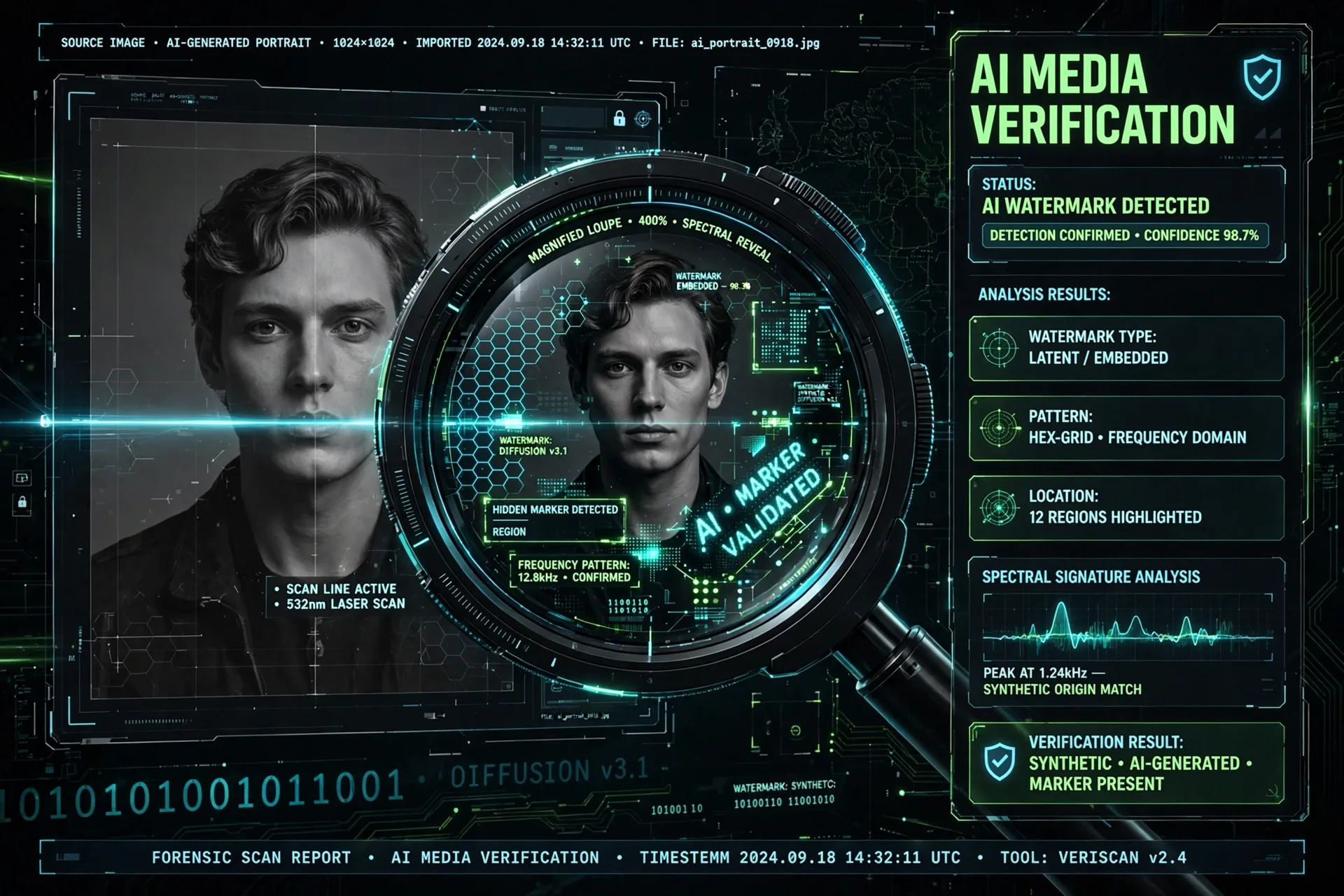
SynthID embeds an invisible watermark into AI-generated content. The Detector scans your upload for that watermark and highlights the exact portions of the file where one is detected. Google's scale claims: 180B+ images and videos and 240,000 years of audio watermarked since SynthID launched in 2023, with 1M+ verification requests daily across Search, the Gemini app, and Chrome. (Vendor-reported, not independently verified.)
Which files it accepts
- Images: JPG, JPEG, PNG, BMP, WEBP, AVIF, HEIC, HEIF, TIFF, TIF, GIF.
- Video: MP4, MOV, WEBM.
- Audio: WAV, MP3, OGG, FLAC, AAC, M4A.
The critical limitation
Here is the part that matters most, and Google states it in its own FAQ: "This is not a general AI detector." The Detector only identifies media from companies that adopted SynthID. Google previously said "SynthID isn't a silver bullet for identifying AI generated content." In other words: a positive result tells you something real, but a negative result does NOT prove a file is human-made — it may just be AI output from a vendor that doesn't use SynthID.
Whose AI content it can catch
The Detector covers AI media from Google itself plus partners OpenAI, NVIDIA, and Kakao — with Apple support "coming soon." Tools that embed SynthID include Nano Banana, Veo, and Lyria, plus generation tools like Gemini, Flow, ProducerAI, and Google Vids.
How to use it in a creative workflow
Go to synthid.com, upload your file, and read the result. Best use cases: verifying assets your team generates with Google tools, checking suspicious media before you share it, and adding a verification step to editorial publishing. For creators, it's also a way to prove your own AI-assisted work is properly attributed rather than passing it off as camera-original.
Why this matters for AI creators
As AI-generated media floods feeds and marketplaces, provenance becomes a competitive advantage. Tools like the SynthID Detector make transparency cheap and easy. If you publish AI-assisted work, running your own outputs through the Detector shows clients and audiences you're honest about how the work was made.
Frequently Asked Questions
Is the SynthID Detector free?
Yes — since October 7, 2026 it's free for everyone, globally, in English. Previously only an early version was available to media professionals.
What file types can I upload?
Images in JPG, JPEG, PNG, BMP, WEBP, AVIF, HEIC, HEIF, TIFF, TIF, or GIF; video in MP4, MOV, or WEBM; audio in WAV, MP3, OGG, FLAC, AAC, or M4A.
If the Detector finds no watermark, does that mean the file is human-made?
No. Google's FAQ is explicit: "This is not a general AI detector." It only identifies media from companies that adopted SynthID (Google, OpenAI, NVIDIA, Kakao — Apple coming soon). AI content from elsewhere, or with the watermark stripped, will show nothing.
What does the Detector actually show me?
It scans your upload for a SynthID watermark and highlights the portions of the file where a watermark is detected — so you can see which parts of an image, video, or audio clip carry the AI mark.
Which AI tools embed SynthID watermarks?
Google models and tools including Nano Banana, Veo, and Lyria, plus generation tools Gemini, Flow, ProducerAI, and Google Vids — and outputs from Google's partners OpenAI, NVIDIA, and Kakao.
Related Prompts

Vector Fashion Editorial Illustration Portrait Editable AI Prompt
ChatGPT
Street Dance Fashion Illustration Editorial Editable AI Prompt
ChatGPT
Illustrated Athlete Giant Sneaker Mustard Poster Ad Editable AI Prompt
ChatGPT