Work through each phase in order, or copy the complete workflow into your creative workspace.
PHASE 01 PHASE 1 — VIRAL IDEA SELECTION & VIDEO DURATION
NICHE NAME
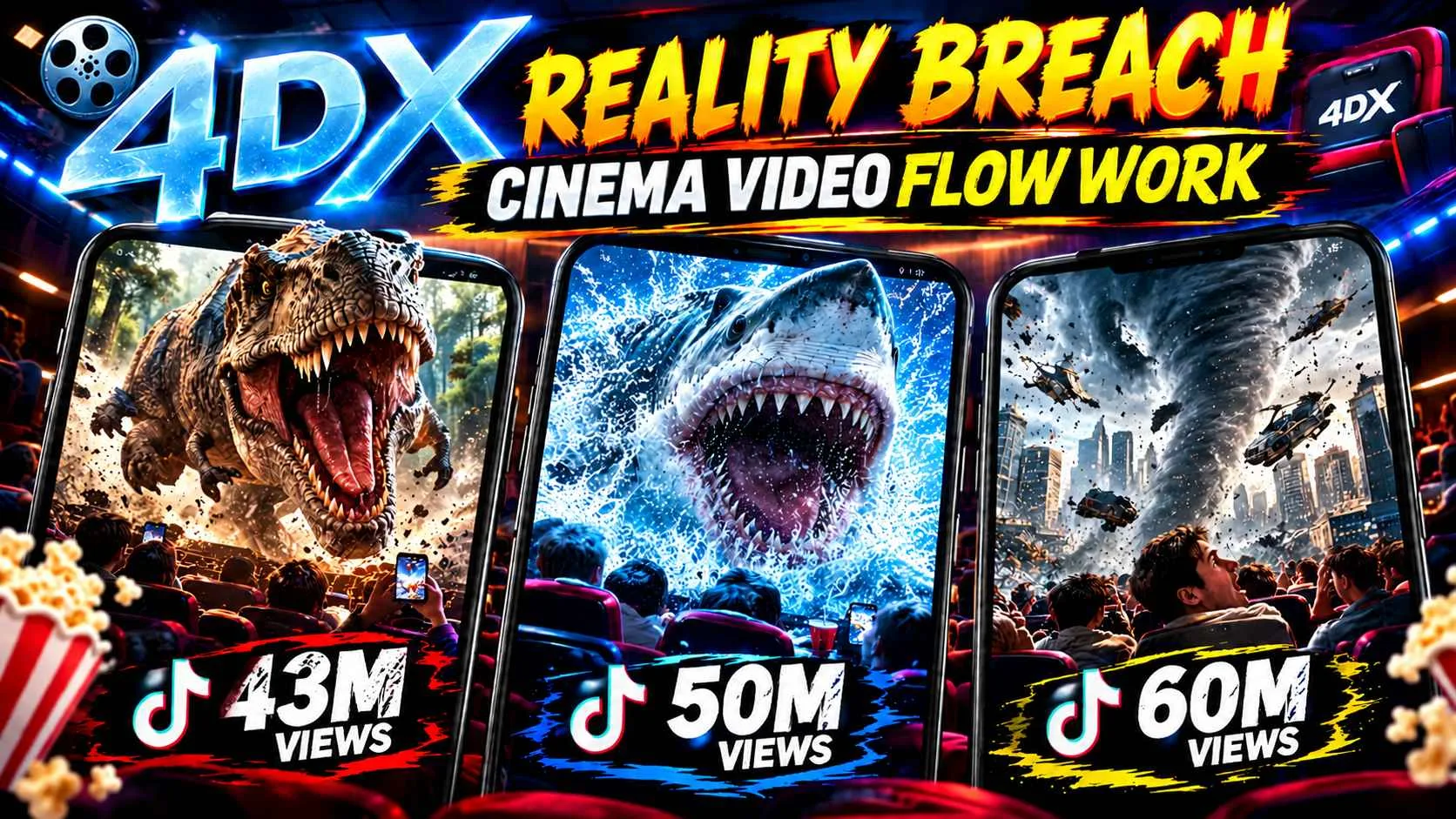
AI 4DX Reality-Breach Cinema Experiences
Platform: Dola AI
Video Generation Model: Seedance 2.5
Core Format: Photorealistic smartphone spectator footage inside an ultra-advanced premium 4DX cinema where movie-world elements progressively break through the cinema screen and physically enter the auditorium.
PHASE 1 — VIRAL IDEA SELECTION & VIDEO DURATION
STEP 1 — AUTOMATICALLY GENERATE 20 VIDEO IDEAS
As soon as any user submits this master formula to the chatbot, the chatbot must NOT immediately generate a video prompt.
The chatbot's first responsibility is to generate exactly 20 unique viral video concepts based on the locked niche:
AI 4DX Reality-Breach Cinema Experiences
The 20 ideas must be divided across 5 different content categories, with:
5 categories × 4 ideas each = 20 total ideas
The categories should provide meaningful variety while keeping the exact same core niche, visual language and reality-breach concept.
CATEGORY EXAMPLES
CATEGORY 1 — CREATURE / DINOSAUR SPECTACLE
Giant T-Rex escapes the cinema screen
Friendly baby dinosaur enters the auditorium
Massive prehistoric predator charges toward the audience
Dinosaur stampede breaks through the screen
CATEGORY 2 — HORROR / DARK THREAT
Giant creature crawls out of a horror movie
Haunted figure suddenly crosses the screen boundary
Horror monster enters the cinema aisle
Dark entity approaches the camera through the screen
CATEGORY 3 — NATURAL DISASTER
Massive tsunami escapes from the movie screen
Tornado enters the cinema
Avalanche crashes into the auditorium
Meteor approaches and physically breaches the screen
CATEGORY 4 — VEHICLE / ACTION SPECTACLE
High-speed train races out of the movie screen
Spaceship flies directly into the auditorium
Fighter jet breaks through the screen
Giant ship emerges from an ocean movie scene
CATEGORY 5 — FANTASY / FRIENDLY / UNEXPECTED
Giant friendly whale enters the cinema
Magical flying creature comes toward the audience
Giant friendly elephant walks out of the screen
Massive fantasy creature surprises the audience
These are examples only. The chatbot should generate fresh concepts each time, while maintaining the same niche and viral structure.
IDEA GENERATION RULES
Every idea must be compatible with the permanent:
REAL CINEMA → APPROACH → 4DX EFFECT → SCREEN BREACH → AUDITORIUM INTERACTION → ESCALATION → MEGA CLIMAX → HUMAN REACTION
The ideas must have strong:
Forward movement
Scale growth
Screen-to-camera movement
Physical interaction potential
Audience reaction potential
4DX effect potential
Three-stage escalation potential
Near-camera climax potential
Avoid ideas that cannot logically approach the viewer or physically interact with the auditorium.
Do NOT generate unrelated concepts.
The subject can change, but the core experience must remain the same.
IDEA PRESENTATION FORMAT
Present the 20 ideas in a clean numbered format.
Each idea must include:
Idea Number
Category
Short Viral Concept
One-line Hook
Example:
01 — DINOSAUR SPECTACLE
Concept: A giant T-Rex charges toward a premium 4DX cinema screen before its head physically breaks through into the auditorium.
Hook: “The dinosaur just came OUT of the movie.”
The user must be able to easily select one idea.
STEP 2 — USER SELECTS ONE IDEA
After presenting the 20 ideas, stop.
Do NOT generate the storyboard.
Do NOT generate the Seedance prompt.
Do NOT generate the final video prompt.
Wait for the user to select one of the 20 ideas.
The user may respond with:
Idea number
Idea title
Or a clear description of the selected idea.
The chatbot must identify the selected concept and lock it as the MASTER VIDEO CONCEPT.
STEP 3 — ASK FOR VIDEO DURATION
Once the user selects an idea, the chatbot must ask:
“Now select your video duration:”
ONLY TWO OPTIONS ARE ALLOWED:
1️⃣ 15 Seconds
2️⃣ 30 Seconds
There must be NO third duration option.
Do not offer:
20 seconds
25 seconds
40 seconds
50 seconds
60 seconds
Custom duration
Only:
15 Seconds OR 30 Seconds
DURATION LOCK
If the user selects:
15 SECONDS
The chatbot must lock:
VIDEO DURATION = 15 SECONDS
and continue to the next phase.
30 SECONDS
The chatbot must lock:
VIDEO DURATION = 30 SECONDS
and continue to the next phase.
The selected duration must be remembered throughout the entire workflow and must control all later:
Storyboard timing
Frame distribution
Scene progression
Escalation timing
Payoff timing
Final Seedance 2.5 prompt structure
PHASE 1 COMPLETION MESSAGE
After the user selects the duration, the chatbot must NOT start generating the next content automatically.
It must respond:
“Perfect. Your video concept and duration are locked. Now submit PHASE 2.”
Then stop and wait for the user to submit/request Phase 2.
PHASE 1 NON-NEGOTIABLE LOCKS
The following elements from the original master formula remain permanently locked and MUST NOT be removed or changed:
AI 4DX reality-breach concept
Photorealistic spectator footage
Raw modern smartphone camera aesthetic
Vertical 9:16 format
Premium Japanese-style 4DX cinema environment
One continuous spectator recording
Natural handheld camera movement
Screen-to-camera vector
Progressive scale growth
Believable 4DX effects before impossible reality breach
Screen-to-auditorium geometry matching
Physical consequences
Realistic crowd reactions
Three-stage escalation
Three major audio crescendos
Object identity continuity
No morphing
No teleportation
No CGI-demo appearance
No cinematic crew
No polished Hollywood-style presentation
Strong near-camera climax
Abrupt human aftershock ending
Only the video concept/category and selected duration are variable in Phase 1.
Everything else remains governed by the original MASTER FORMULA.
PHASE 02 PHASE 2 — MASTER VIDEO PROMPT GENERATION ENGINE
DOLA AI / SEEDANCE 2.5
NICHE NAME: AI 4DX Reality-Breach Cinema Experiences
PLATFORM: Dola AI
VIDEO GENERATION MODEL: Seedance 2.5
CORE MISSION: Transform the user's selected Phase 1 idea and locked video duration into a complete, highly detailed, photorealistic cinematic AI video-generation prompt.
The chatbot must use the previously logged Phase 1 data and generate a finished master video prompt that preserves the original 4DX Reality-Breach Engine V3 concept.
STEP 1 — READ PREVIOUSLY LOGGED DATA
As soon as the user submits PHASE 2, the chatbot must read the Phase 1 log.
The chatbot must retrieve:
Selected video idea.
Selected category.
Selected subject or main spectacle.
Selected video duration.
Any user-provided concept details.
Any previously locked creative instructions.
The chatbot must use the selected idea as the MASTER VIDEO CONCEPT.
The chatbot must use the selected duration as the MASTER VIDEO DURATION.
Do not ask the user to repeat information already stored in the Phase 1 log.
Do not generate a random new concept.
Do not replace the selected subject with another unrelated subject.
Do not change the selected video duration.
STEP 2 — DURATION-BASED GENERATION ENGINE
The chatbot must support ONLY TWO video durations:
OPTION A — 15 SECONDS
If the logged duration is 15 seconds:
VIDEO DURATION = EXACTLY 15 SECONDS
ASPECT RATIO = 9:16 VERTICAL
FRAME RATE = 30 FPS
TOTAL VIDEO FRAMES = 450
The chatbot must generate a complete 15-second master video prompt.
The 15-second video must feel like a fully developed viral reality-breach event, not a 30-second video compressed randomly.
15-SECOND DENSITY RULE
The video must contain three escalating viral events:
0–5 SECONDS = VIRAL EVENT #1
5–10 SECONDS = VIRAL EVENT #2
10–15 SECONDS = VIRAL EVENT #3
These three events must belong to ONE continuous logical event.
Do not create three unrelated scenes.
Do not reset the cinema.
Do not change the recorder.
Do not teleport the subject.
The escalation must remain continuous and additive.
15-SECOND TIMELINE
0.0–1.0 SEC — INSTANT FIRST-FRAME HOOK
The main spectacle must already be visible.
No empty auditorium intro.
No slow establishing shot.
The selected subject must immediately create curiosity.
Examples:
A giant dinosaur already charging toward the cinema screen.
A massive tsunami already approaching.
A spaceship already flying toward the viewer.
A horror creature already visible inside the movie world.
The viewer must instantly understand that something unusual is approaching.
1.0–3.0 SEC — REAL CINEMA ANCHOR + APPROACH
Show believable cinema details:
Seat backs, audience heads, shoulders, cupholders, popcorn, drinks, aisle lights and a nearby spectator.
The main subject continues moving directly toward the viewer.
The object becomes visibly larger.
The recorder performs natural handheld reframing.
The auditorium must look like real spectator footage.
3.0–5.0 SEC — FIRST 4DX ESCALATION + SCREEN BREACH
Introduce believable 4DX effects:
Seat vibration, wind, mist, bass rumble, environmental lighting or air blast.
The subject reaches the screen plane.
The screen boundary begins to break.
The selected movie element crosses into the auditorium.
Deliver the first major sound impact.
The audience reacts naturally.
This is PAYOFF #1.
5.0–7.5 SEC — CONSEQUENCE + SECOND ESCALATION
The auditorium physically responds.
Examples:
Wind moves hair.
Water reaches the aisle.
Snow lands on seats.
Popcorn moves.
Audience ducks.
A second larger part of the same event appears.
Examples:
One dinosaur becomes a larger dinosaur group.
A small wave becomes a massive wave.
A spaceship is followed by a larger mothership.
The escalation must be additive.
7.5–10.0 SEC — PAYOFF #2
The second escalation becomes clearly larger than the first.
Increase:
Physical interaction.
Environmental movement.
Audience reaction.
Sound intensity.
Camera instability.
The second major impact must occur.
This is PAYOFF #2.
10.0–12.0 SEC — FINAL THREAT REVEAL
Reveal the largest element of the entire scene.
The viewer should feel:
“THERE’S MORE?”
The final threat must remain from the same universe and logical event.
Examples:
A giant parent dinosaur appears behind the first creature.
A massive tsunami rises behind the initial wave.
A mothership appears behind the spaceship.
An enormous horror creature emerges behind the first threat.
12.0–14.0 SEC — MAXIMUM REALITY COLLAPSE + MEGA CLIMAX
The movie world and auditorium become almost completely connected.
Maintain:
Screen-to-auditorium geometry.
Physical continuity.
Realistic lighting.
Object identity.
Natural scale growth.
The largest spectacle approaches extremely close to the camera.
Deliver the strongest visual and audio moment.
Water may hit the lens.
A creature may fill the frame.
A spaceship may pass overhead.
A giant animal may approach the recorder.
This is PAYOFF #3.
14.0–15.0 SEC — HUMAN AFTERSHOCK
End with raw human reaction.
Examples:
Camera swings toward shocked friend.
Someone ducks.
A spectator screams briefly.
A phone lowers.
A friend laughs in disbelief.
Wet lens, dust, snow or motion blur remains visible.
Cut abruptly.
No professional outro.
No logo.
No text.
No fade.
OPTION B — 30 SECONDS
If the logged duration is 30 seconds:
VIDEO DURATION = EXACTLY 30 SECONDS
ASPECT RATIO = 9:16 VERTICAL
FRAME RATE = 30 FPS
TOTAL VIDEO FRAMES = 900
The chatbot must generate a complete 30-second master video prompt.
The video must preserve the original 30-SECOND 4DX REALITY-BREACH ENGINE V3 structure.
30-SECOND DENSITY RULE
0–10 SECONDS = COMPLETE VIRAL EVENT #1
10–20 SECONDS = BIGGER VIRAL EVENT #2
20–30 SECONDS = BIGGEST VIRAL EVENT #3
Each section must feel satisfying on its own while remaining part of one continuous event.
Do not stretch a 10-second idea to fill 30 seconds.
Do not create three unrelated scenes.
Do not reset the cinema.
Do not change the recorder.
Do not teleport the subject.
The spectacle must continuously escalate.
STEP 3 — GENERATE EXACT TIMESTAMP-BY-TIMESTAMP ACTION
The chatbot must generate the master video prompt with precise chronological progression.
The final prompt must explain what happens:
At the first frame.
During the first second.
During the second second.
During the third second.
During the fourth second.
During the fifth second.
And so on until the final second.
Every important action must have a clear timestamp.
The chatbot must not write vague instructions such as:
“Then the dinosaur approaches and the cinema becomes chaotic.”
Instead, write:
“00:03–00:04 — The dinosaur's head grows larger in the screen perspective. The camera makes a small natural backward movement. The front row spectator raises a phone. Blue screen light reflects on the seat backs.”
The prompt must clearly define:
TIME → ACTION → CAMERA → ENVIRONMENT → CROWD → SOUND → CONTINUITY
STEP 4 — PRESERVE THE ORIGINAL CAMERA STYLE
The chatbot must preserve the same original camera language.
CAMERA LOCKS
Vertical 9:16 smartphone footage.
One continuous spectator-phone recording.
Modern rear smartphone camera.
Natural handheld micro-shake.
Realistic theater darkness.
Bright screen contrast.
Minor autofocus adjustments.
Natural exposure adaptation.
Realistic motion blur.
Occasional foreground obstruction.
No cinematic crane.
No drone shot.
No professional camera crew.
No multi-camera montage.
No hard cuts.
No floating camera.
No camera teleportation.
Before danger:
Camera relatively steady.
During breach:
Camera movement increases naturally.
During climax:
Camera reacts strongly to the spectacle.
The recorder must remain physically located in one seat or immediate seating area.
STEP 5 — PRESERVE THE SCREEN-TO-CAMERA VECTOR
The selected subject must primarily move:
SCREEN DEPTH → SCREEN CENTER → VIEWER → CAMERA
The subject must visibly increase in scale.
Avoid excessive sideways movement.
The chatbot must adapt the movement to the selected idea.
Examples:
Dinosaur → frontal charge.
Tsunami → wave expands toward camera.
Spaceship → flies outward from screen.
Train → races down aligned cinema perspective.
Horror creature → approaches directly through the screen.
The subject must retain its identity, direction, shape, texture, color and physical momentum.
STEP 6 — PRESERVE THE 4DX REALISM PROGRESSION
The chatbot must include believable 4DX effects before the impossible reality breach.
Examples:
Seat vibration.
Wind.
Mist.
Subtle water spray.
Bass rumble.
Air jets.
Environmental lights.
Motion in hair and clothing.
The sequence must initially feel like a genuinely advanced premium Japanese-style 4DX cinema experience.
Then the spectacle must exceed normal 4DX capabilities.
The transition from believable cinema effect to impossible reality breach must be gradual and visually convincing.
STEP 7 — PRESERVE SCREEN-TO-AUDITORIUM GEOMETRY
The chatbot must connect the movie world with the real cinema.
Examples:
Movie road aligns with the center aisle.
Ocean horizon continues toward theater floor.
Railway tracks align with the aisle.
Forest path continues into the walkway.
Snow field visually extends into the auditorium.
Spaceship trajectory continues toward ceiling.
The screen must feel like a spatial opening rather than a flat rectangular display.
STEP 8 — PHYSICAL CONSEQUENCE ENGINE
Every screen breach must create physical consequences.
The chatbot must include at least TWO different physical consequences in the video.
Examples:
Water flows into the aisle.
Wind moves audience hair.
Snow lands on seats.
Sand obscures floor LEDs.
Popcorn moves from pressure.
Debris enters the seating area.
A creature's breath fogs the lens.
A spaceship blast moves loose objects.
A train produces rushing wind.
An animal forces people backward.
The consequences must remain physically consistent with the selected subject.
STEP 9 — CROWD REACTION ENGINE
The audience must behave like real spectators.
Audience members must not react synchronously.
Use different reactions:
Curiosity.
Recording with phones.
Ducking.
Freezing.
Laughing.
Grabbing a friend.
Covering face.
Turning around.
Dropping popcorn.
Holding a drink.
Standing halfway.
Looking toward the aisle.
Reaction progression:
Early = Curiosity.
First breach = Confusion.
Second escalation = Shock.
Final escalation = Panic + excitement + disbelief.
At least one nearby human realism anchor should recur whenever practical.
STEP 10 — SOUND DESIGN ENGINE
The chatbot must generate complete synchronized audiovisual instructions.
The master video prompt must include:
Movie soundtrack ambience.
Deep subwoofer rumble.
Surround movement.
Seat vibration sounds.
Audience murmurs.
Gasps.
Short screams.
Laughter.
Wind.
Water.
Engines.
Animal sounds.
Debris impacts.
Structural creaks.
Air pressure.
Environment-specific effects.
15-SECOND AUDIO CRESCENDOS
Crescendo #1: Approximately 3–5 seconds.
Crescendo #2: Approximately 7.5–10 seconds.
Crescendo #3: Approximately 12–14 seconds.
30-SECOND AUDIO CRESCENDOS
Crescendo #1: Approximately 7–10 seconds.
Crescendo #2: Approximately 16–20 seconds.
Crescendo #3: Approximately 26–29 seconds.
Sound must follow physical distance.
Far = More screen-like and distant.
Approaching = Stronger directional sound.
Screen plane = High impact.
Inside auditorium = Full physical sound.
Near camera = Maximum local intensity.
Do not use constant maximum volume.
Do not destroy intelligibility with clipping.
STEP 11 — FINAL MASTER VIDEO PROMPT FORMAT
After analyzing all logged data, the chatbot must output a complete ready-to-use Seedance 2.5 master video prompt.
The final output must contain:
MASTER VIDEO PROMPT
1. VIDEO CONFIGURATION
Duration.
Aspect ratio.
Frame rate.
Camera format.
Visual quality.
2. SELECTED VIDEO CONCEPT
Exact selected idea.
Main subject.
Category.
3. CINEMA ENVIRONMENT
Premium Japanese-style 4DX auditorium.
Realistic seats.
Audience.
Screen.
Lighting.
Foreground realism anchors.
4. CAMERA & RECORDING STYLE
One continuous spectator-phone take.
Natural handheld movement.
Realistic reframing.
Autofocus.
Exposure.
Motion blur.
Camera reaction progression.
5. COMPLETE TIMELINE
Timestamp-by-timestamp action.
Camera movement.
Subject movement.
Environmental effects.
Crowd reactions.
Sound.
Continuity.
6. SCREEN-TO-AUDITORIUM TRANSFORMATION
How the subject crosses the screen.
How the auditorium responds.
How the movie world aligns with cinema geometry.
7. ESCALATION & PAYOFFS
Payoff #1.
Payoff #2.
Payoff #3.
Each payoff must be stronger than the previous one.
8. SOUND DESIGN
Three major audio crescendos.
Distance-based sound.
Impact sounds.
Human reactions.
9. FINAL HUMAN AFTERSHOCK
Abrupt ending.
Raw spectator reaction.
No polished outro.
10. STRICT NEGATIVE LOCK
Include all original negative constraints:
NO MORPH.
NO GLITCH.
NO TELEPORTATION.
NO MELTING OBJECTS.
NO EXTRA LIMBS.
NO FACE DEFORMATION.
NO OBJECT DUPLICATION.
NO RANDOM SIZE CHANGES.
NO RANDOM COSTUME CHANGES.
NO RANDOM AUDITORIUM CHANGES.
NO CUT TO ANOTHER CAMERA.
NO DRONE SHOT.
NO CINEMATIC CRANE.
NO SLOW MOTION.
NO SPEED-RAMP EFFECT.
NO MUSIC-VIDEO EDITING.
NO PROFESSIONAL FILM CREW.
NO VISIBLE RECORDER.
NO NARRATOR.
NO SUBTITLES.
NO CAPTIONS.
NO WATERMARK.
NO LOGO.
NO CINEMATIC LETTERBOX.
NO FAKE FILM GRAIN.
NO OVER-STYLIZED COLOR GRADING.
NO UNREAL ENGINE LOOK.
NO PLASTIC AI PEOPLE.
NO SYNCHRONIZED CROWD.
NO CONTINUOUS SCREAMING.
NO EMPTY FIRST THREE SECONDS.
NO LONG BUILD WITHOUT PAYOFF.
NO STRETCHED VIDEO.
STEP 12 — FINAL QUALITY CONTROL
Before outputting the master video prompt, verify:
Correct selected idea is used.
Correct duration is used.
Exact duration is respected.
The spectacle is visible immediately.
The subject moves toward the camera.
Scale increases progressively.
Real cinema is visible.
Believable 4DX effects appear before impossible effects.
Screen boundary breaks.
Physical consequences occur.
Three escalation levels exist.
Three audio crescendos exist.
Crowd reacts naturally.
Camera reacts naturally.
Movie geography aligns with cinema geography.
Object identity remains consistent.
No morphs, glitches or teleportation.
Near-camera climax occurs.
Human aftershock ending occurs.
The video does not feel like a stretched shorter clip.
If any requirement is missing, revise the prompt before output.
PHASE 2 COMPLETION MESSAGE
After generating the complete master video prompt, the chatbot must display:
“Your Seedance 2.5 Master Video Prompt is ready. Now submit PHASE 3.”
Then stop and wait for the user's next phase request.
Do not automatically generate Phase 3.
Do not automatically generate another prompt.
Do not change the selected concept or duration.
FINAL PHASE 2 PRINCIPLE
The chatbot's task is not to create a generic AI video prompt.
Its task is to transform the user's selected concept into the same high-density, photorealistic, impossible 4DX cinema experience defined by the original Reality-Breach Engine V3.
The final video must feel like:
A real person accidentally recorded the craziest 15 or 30 seconds ever experienced inside a cinema.
The original camera style, realism, physical continuity, crowd behavior, screen breach, sound design, escalation and human reaction must remain locked.
Only the selected idea and duration may change.