
Why AI Product Photography Works for E-Commerce Now
Modern image models render materials, reflections, and shadows with photographic realism — good enough that AI-generated product shots now compete with studio photography for online stores. The economics are hard to argue with: instead of renting a studio, hiring a photographer, and shipping products, sellers can generate dozens of polished images in an afternoon. The catch is consistency and believability — product images must look like real photos of a real product, not surreal renders. That demands a structured prompt workflow, not one-off generations.
Step 1: Define the Product Like a Shot List
Start every session by describing the product in fixed, repeatable terms — material, color, shape, size, key details — and reuse the exact same description across every shot so the product looks identical in all images. Use [BRAND] or a generic placeholder instead of real brand names to keep listings original. Nail down the product's defining features first: a matte black water bottle with a stainless steel lid, not "a water bottle." This product definition block becomes the anchor sentence you paste into every prompt of the shoot.
Step 2: Generate the Three Shots That Matter
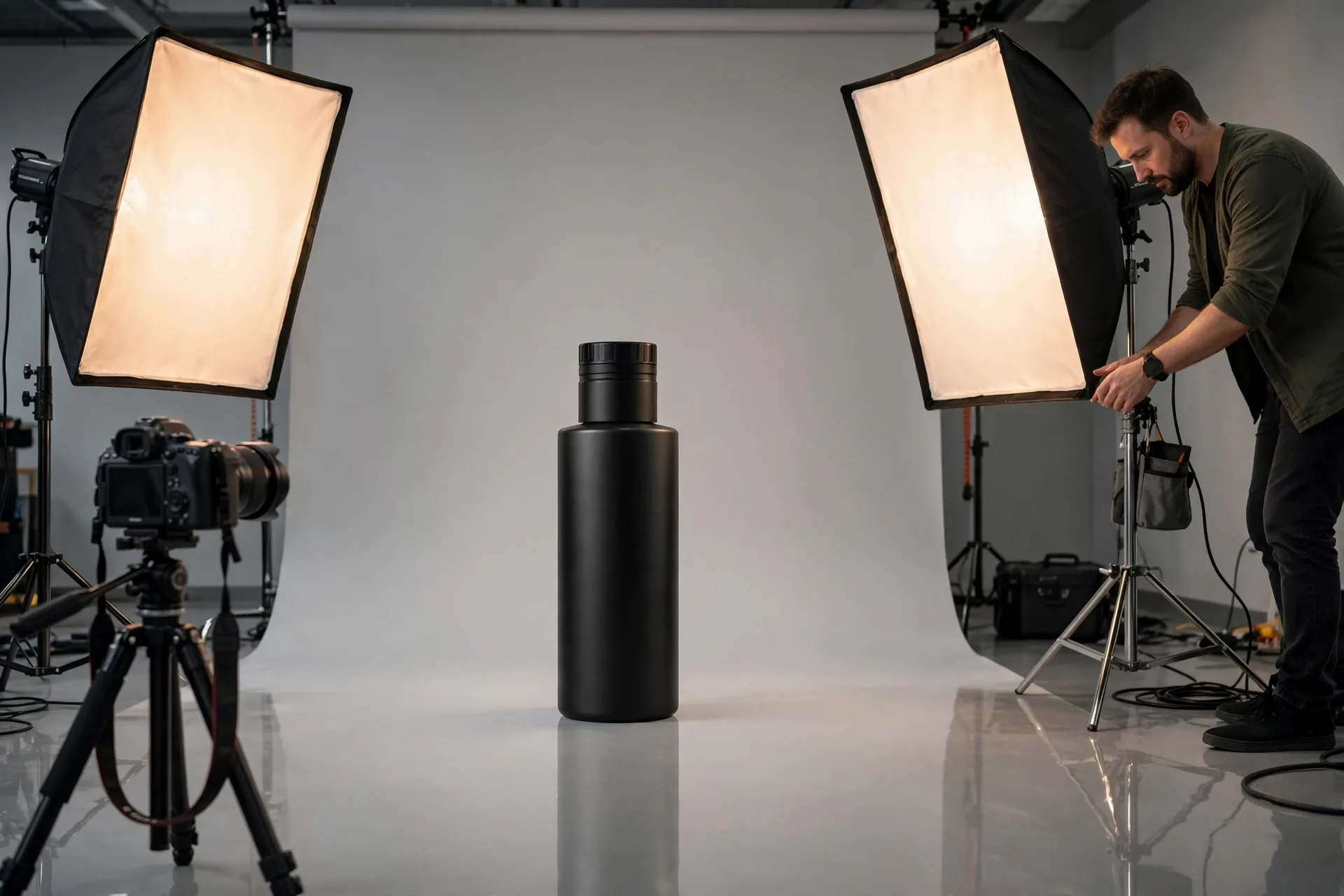
E-commerce listings convert on three images: the hero shot, the lifestyle scene, and the macro detail. The hero shot is a clean studio image — soft gradient background, softbox lighting, subtle floor reflection — that isolates the product and reads instantly at thumbnail size. The lifestyle scene places the product in an aspirational context (a morning kitchen, a runner's desk) with cinematic lighting that suggests how the product improves life. The macro detail goes extreme close-up on the most premium feature — stitching, texture, mechanism — proving quality in a way words can't.
- Hero shot — clean studio image, gradient background, softbox lighting, floor reflection
- Lifestyle scene — product in aspirational context, cinematic lighting, sense of scale
- Macro detail — extreme close-up of the premium feature, sharp texture rendering
- Scale shot — product next to a familiar object for size reference
- Packaging shot — product with its box or bag, gift-ready presentation
Step 3: Lock Consistency Across the Whole Set
The failure mode of AI product photography is a product that morphs between images. Lock it down three ways: reuse the identical product-description sentence in every prompt, keep the same aspect ratio and background treatment for each shot category, and generate multiple variations of each shot before moving on. If a generation drifts — the logo moves, the shape changes — don't try to fix it in edits; regenerate from the same anchored prompt until it matches. A consistent set of five images beats fifty mismatched ones.
Studio product photography of [BRAND] matte black insulated water bottle with brushed stainless steel lid, centered on a seamless light-grey studio background, soft diffused softbox lighting from above, subtle soft reflection on the glossy floor beneath, fine water droplets condensing on the bottle surface, ultra sharp focus, professional e-commerce hero shot, photorealistic, 1:1
| Shot type | Prompt recipe |
|---|---|
| Hero shot | Clean background + softbox lighting + floor reflection + macro-sharp focus. |
| Lifestyle | Real environment + cinematic light + human context + shallow depth of field. |
| Macro detail | Extreme close-up + texture emphasis + directional side light. |
| Scale shot | Familiar reference object + neutral light + true proportions. |
Frequently Asked Questions
How do I keep the product looking identical across multiple images?
Reuse the exact same product-description sentence in every prompt, keep the same aspect ratio and background style per shot type, and regenerate — don't edit — when a result drifts. Anchored prompts beat corrective edits for consistency.
What three product shots does every listing need?
A clean hero shot for the thumbnail, a lifestyle scene showing the product in use, and a macro detail close-up proving quality. These three cover discoverability, aspiration, and trust — add scale and packaging shots for complex or premium products.
Can AI product photos really replace a studio shoot?
For many online sellers, yes — modern image models render materials, reflections, and shadows with photographic realism. The exceptions are products with complex branding, legally required accuracy, or customers who inspect fine details; there, AI shots work best as supplements to real photography.
How do I avoid fake-looking renders?
Specify photographic language — softbox lighting, shallow depth of field, photorealistic — and avoid fantasy terms. Keep backgrounds simple, lighting physically plausible, and the product's materials described precisely. One bad shadow or impossible reflection is what gives a render away.